
Printronix P8000 Parts
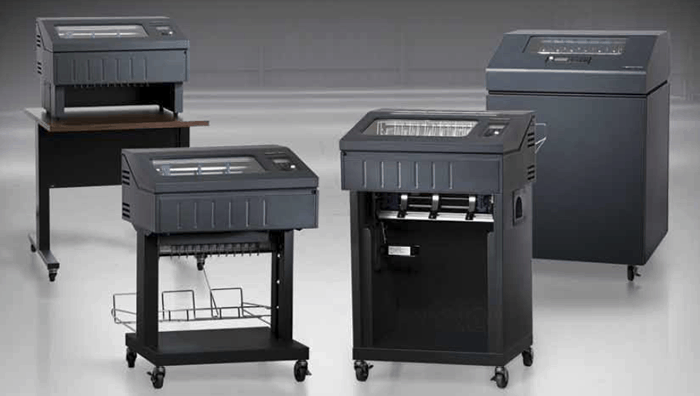
If you’re managing a high-output print operation, you already know how important it is to minimize downtime. One hiccup can delay shipping schedules, bottleneck invoices or throw production off course. That’s why having the right spare Printronix P8000 parts from Printer Connection, Inc., on hand isn’t just smart – it’s strategic.
Focus on High-Wear Components
Some parts of your line printer are built to last for years. Others, like ribbons, hammer banks, or platen rollers wear down with daily use. These are the ones to focus on. If your operation runs 24/7 or prints large volumes of multipart forms, you’ll want to keep a healthy stash of those critical Printronix P8000 parts. That way, when a component starts to go, you’re not stuck waiting for a shipment to arrive.
Use Printer Logs to Guide Stocking Decisions
You don’t need to guess what to stock. Use your printer logs and maintenance records to spot trends. If you’ve replaced the same sensor twice in a year, that’s a clear sign you should keep one on the shelf. Let the data shape your inventory so you’re stocking Printronix P8000 parts that actually matter to your environment, not just what someone said might be useful.
Think About Technician Access and Downtime Windows
It’s not just about what parts you have – it’s also about who can install them and when. Stocking parts without a plan for installation leads to delays. Whether you’ve got an in-house tech or a service provider on call, make sure your replacement Printronix P8000 parts are labeled, easy to access, and matched to your team’s skill level. Keep them close to the printer to reduce the time it takes to respond.
Keep an Eye on Shelf Life and Compatibility
Some parts degrade over time, especially if they’re stored in humid or unclean environments. Make sure you’re rotating stock and keeping an updated list of model compatibility. The last thing you want is to discover your Printronix P8000 parts stash is outdated or no longer usable with your firmware.
With the right approach, keeping key Printronix P8000 parts on hand can turn emergencies into quick fixes and help your team stay ahead of the curve. A little strategy now can save hours of stress later. Learn more by calling Printer Connection, Inc. at 817-430-6202 or contacting us online.